strict-dynamic explained, drop host allowlists for a strict CSP
CentralCSP Team ·
Last update:
Host allowlists in a Content Security Policy (CSP) feel safe and usually are not.
You list the domains your scripts come from, but you are trusting every file on
each of those domains, including ones you did not put there. One trusted CDN that
also serves an attacker-reachable file, and the allowlist is bypassed. The
'strict-dynamic' keyword is the modern answer: instead of trusting domains, you
trust specific scripts you mark, and let those scripts vouch for the ones they load.
The problem strict-dynamic solves
Take a policy like script-src 'self' https://cdn.example.com. It trusts every
script on that CDN, and by extension every script those scripts load. Security
researchers have repeatedly shown that large allowlists are bypassable: a JSONP
endpoint, an open redirect, or an outdated library hosted on an allowlisted domain
can be turned into arbitrary script execution that the policy happily permits. The
more domains you add to keep the site working, the weaker the policy gets.
'strict-dynamic' cuts the domain out of the trust decision. The browser stops
asking "is this script from an allowed host" and starts asking "was this script
vouched for", which is a much harder question for an attacker to satisfy.
How it works
You mark the scripts you trust with a
nonce or hash,
and add 'strict-dynamic' to script-src. The browser trusts those marked scripts,
and propagates that trust to any script they create at runtime, while ignoring
host-source and 'self' expressions for scripts.
Content-Security-Policy:
    script-src 'nonce-r4nd0m' 'strict-dynamic';
    object-src 'none';
    base-uri 'none'
The nonce is a fresh random value your server generates per response and puts both
in the header and on each trusted <script> tag (see how to set up a nonce per framework). 'strict-dynamic' then says: a
script the browser already trusts (because it carried the nonce) is allowed to load
further scripts, and those inherit the trust. So a trusted loader can pull in the
third parties it needs without you enumerating a single host.
Trust starts at the nonce-marked script and flows outward, while host allowlists are ignored for scripts:
strict-dynamic vs a plain nonce
A nonce on its own trusts only the exact tags you put it on. That breaks the common
pattern where one trusted script dynamically injects another, an analytics loader
that appends a tracker, or a tag manager that writes more script tags (see GTM under a strict CSP in Next.js). Without
'strict-dynamic', those injected scripts have no nonce and are blocked. With it,
they are allowed because the script that created them was trusted. That propagation
is the entire reason to add the keyword on top of a nonce.
What it ignores, and what still applies
When 'strict-dynamic' is present, the browser ignores host sources, scheme
sources, 'self', and 'unsafe-inline' for scripts; trust flows only from a nonce
or hash. That is why you can leave a host allowlist in the policy for old browsers
without weakening modern ones, the modern browser simply ignores it.
Keep object-src 'none' and base-uri 'none' in the policy regardless.
'strict-dynamic' only governs scripts, so plugins and a hijacked <base> tag are
not covered, and these two directives close bypasses that script trust does not.
Browser support
'strict-dynamic' is widely supported in current browsers. Older browsers that do
not understand the keyword ignore it and fall back to the host allowlist, which is
why you can ship both: the allowlist is a fallback for legacy engines, not the
primary control. Frame it that way rather than as something to maintain forever.
See it in your reports
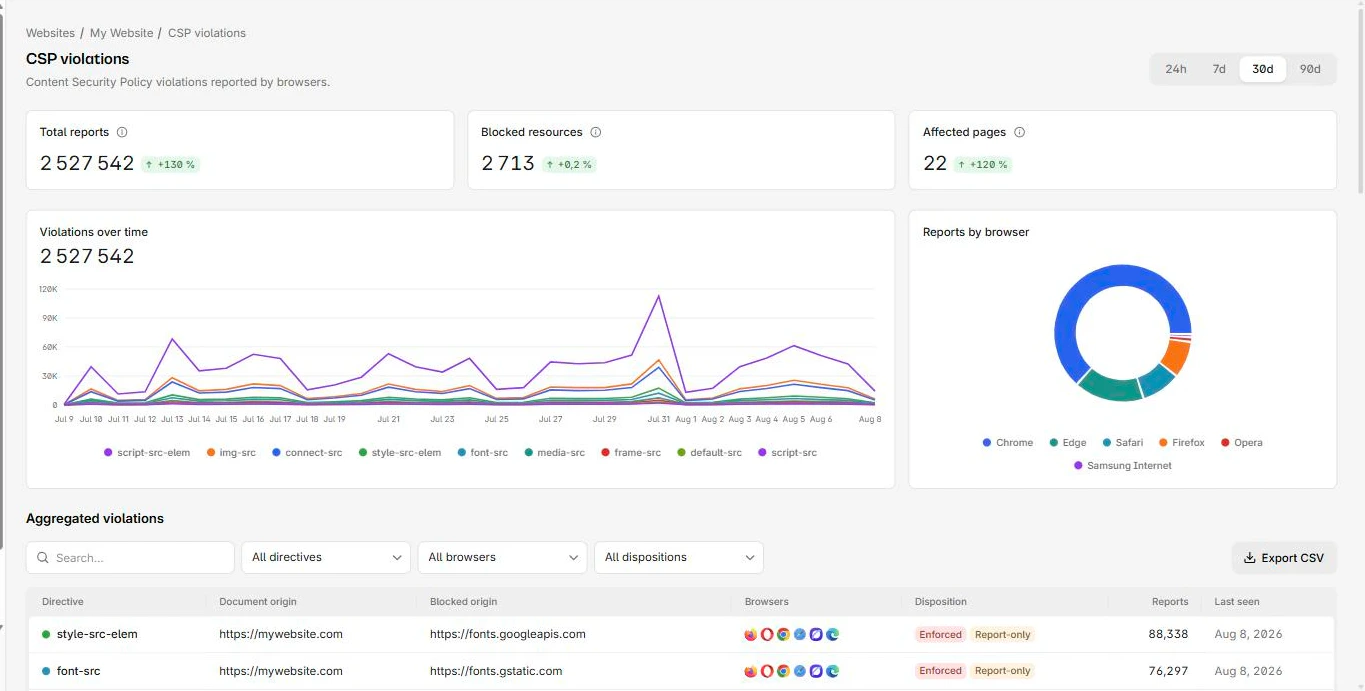
Do not flip a strict policy on blind. Roll it out in Report-Only first and watch which scripts would break, because a missed dynamic loader can take out analytics or payments. CentralCSP collects those reports from real traffic, so you confirm the policy is safe against what users actually load before you enforce it.
Next steps
- Remove inline scripts first: get rid of unsafe-inline, and the related unsafe-eval keyword.
- See how the script directives split: script-src-elem vs script-src-attr.
- Score a strict policy with the CSP evaluator.
- Set up the nonce in your stack: CSP nonce in Next.js.
Roll out a strict CSP with confidence.