The Reporting-Endpoints header explained
CentralCSP Team ·
Last update:
The Reporting-Endpoints HTTP response header is how you tell the browser where to
send reports. You give each destination a name, then point your Content Security
Policy (CSP) and other policies at that name. One header, one place to declare every
endpoint, and the browser does the delivery.
This is the current way to wire up reporting on the web. It replaces the older
Report-To header, and it works with the CSP
report-to
directive to collect violation reports, deprecation warnings, intervention reports,
and more.
This post is the practical wiring walkthrough. For the field-by-field spec reference, see the Reporting-Endpoints header reference.
What the Reporting-Endpoints header does
The header carries a list of named endpoints. Each name maps to a single URL where the browser can POST reports. Nothing reports anywhere on its own: a policy has to reference an endpoint name before the browser sends anything to it.
Here is the smallest setup that collects CSP violations:
Reporting-Endpoints: csp-endpoint="https://<Endpoint-ID>.report.centralcsp.com"Content-Security-Policy: default-src 'self'; report-to csp-endpointThe first line declares an endpoint called csp-endpoint. The second line is a
normal CSP, and its
report-to
directive names that endpoint. When the policy blocks something, the browser sends a
violation report to the URL behind csp-endpoint.
Header syntax
Each entry is name="url": an endpoint name, an equals sign, and the URL as a
quoted string. The browser resolves the URL against the response it came on.
You can declare several named endpoints in one header, separated by commas, and route different report types to them by name:
Reporting-Endpoints: csp-endpoint="https://<Endpoint-ID>.report.centralcsp.com",
                     permissions-endpoint="https://<Endpoint-ID>.report.centralcsp.com"
Then a policy picks the name it wants:
Content-Security-Policy: default-src 'self'; report-to csp-endpointA few rules worth knowing up front:
- Endpoint URLs must be potentially trustworthy, which in practice means HTTPS. A non-secure endpoint is silently ignored, not flagged as an error, so a typo in the scheme means reports quietly go nowhere.
- An endpoint in v1 is a single URL. There is no weighting, no priority, and no
failover list, unlike the older
Report-Togroups. - The endpoints you declare apply to the resource the header was sent with, not the whole origin.
The default endpoint
Some report types are not tied to a header that names an endpoint. Deprecation,
intervention, and crash reports go to an endpoint named default if you declare
one:
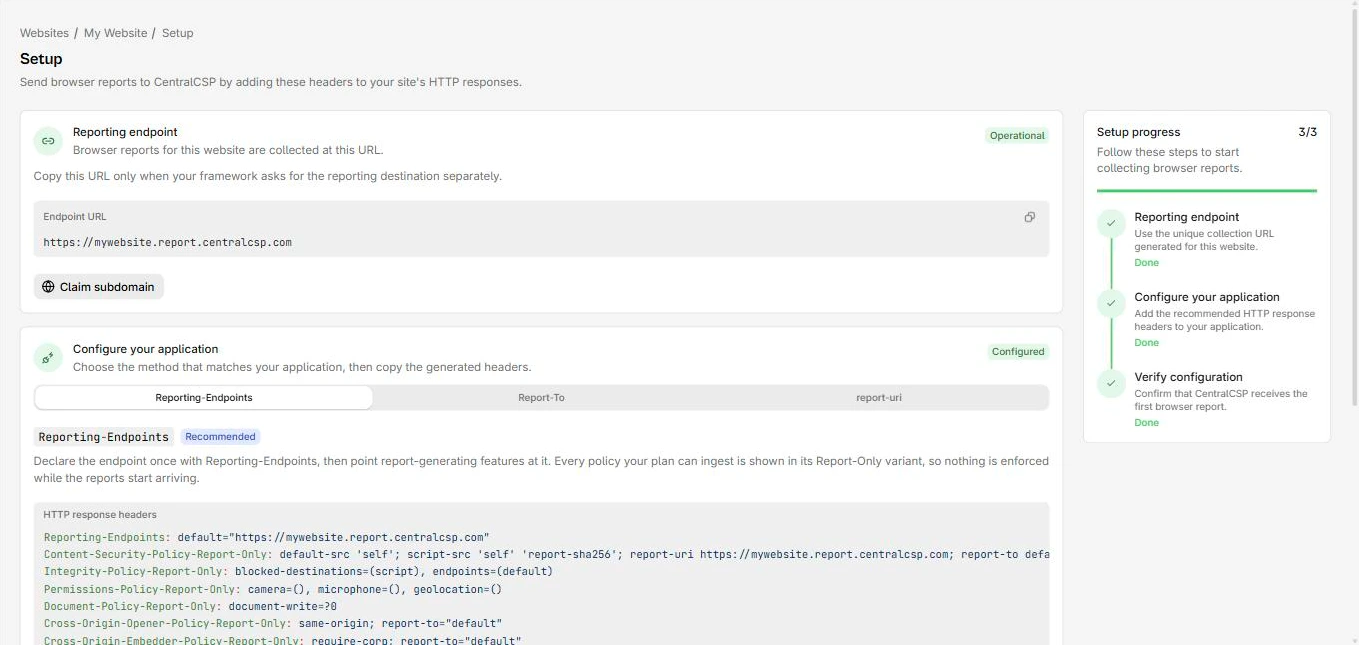
Reporting-Endpoints: default="https://<Endpoint-ID>.report.centralcsp.com"Despite the name, default is not a fallback for other endpoints. It is the
specific endpoint those untagged report types look for. If you do not declare a
default endpoint, the browser still generates those reports, but it has nowhere to
send them, so they are dropped.
The CSP report-to directive
The report-to
directive is the CSP side of this. Its value is an endpoint name, and that name must
exist in a Reporting-Endpoints header on the same response. The directive itself
carries no URL; it only references a name you declared in the header.
Content-Security-Policy: default-src 'self';
                         script-src 'self';
                         report-to csp-endpoint
The directive is CSP Level 3 and is header-only. It does not work inside a <meta>
element, so this part of reporting has to be set as a real response header.
report-to versus report-uri
The older directive is
report-uri,
which takes a URL directly instead of an endpoint name. It is deprecated. Any browser
that understands report-to ignores report-uri entirely. report-uri vs report-to compares the two directives in full.
During the changeover you can specify both. The browser uses whichever it supports and ignores the other, so you keep reports flowing from every visitor:
Content-Security-Policy: default-src 'self';
                         report-uri https://<Endpoint-ID>.report.centralcsp.com;
                         report-to csp-endpoint
A browser with report-to support uses the endpoint name and ignores the
report-uri URL. A browser without it falls back to report-uri. Pair this with
the matching Reporting-Endpoints header so the endpoint name resolves.
Where Report-To fits now
The Report-To header is the predecessor of Reporting-Endpoints. It is both
deprecated and non-standard, and Reporting-Endpoints replaces it for new work.
See the
Report-To header reference
for its history, and Report-To vs Reporting-Endpoints
for the migration in detail.
One practical exception: Network Error Logging (NEL) still relies on the legacy
Report-To header and is not covered by Reporting-Endpoints v1. If you collect NEL
reports, you keep sending Report-To for that case while using
Reporting-Endpoints for everything else.
Browser support
Reporting-Endpoints reached Baseline in 2024 and is widely supported across current
browsers. The CSP report-to directive has shipped in Chromium for years; its
cross-browser Baseline milestone lands in 2026 as the remaining engines catch up.
For new sites, write Reporting-Endpoints plus report-to, and add report-uri
only if you still need to cover older clients during a transition.
Test before you trust it
A silent-failure header rewards a quick check. The fastest way to confirm your setup parses and resolves is the Reporting API checker, which reads your live response headers and tells you whether the endpoint names and URLs line up.
When you are ready to start in safe mode, send the policy as a Report-Only header first. The browser reports what the policy would block without enforcing it, so you tune against real traffic before anything breaks. For the full reporting workflow, including what a violation report looks like, see Get started with CSP reporting.
Once reports are arriving, CentralCSP collects them in one place,
groups the noise, and turns the raw payloads into something you can act on. You can
start free and point your Reporting-Endpoints header at a CentralCSP
endpoint to see real reports within minutes.