

Workspace usage
Reports, websites, and members against your plan limits. Hitting the report limit stops ingestion for every website in the workspace.
Last update:
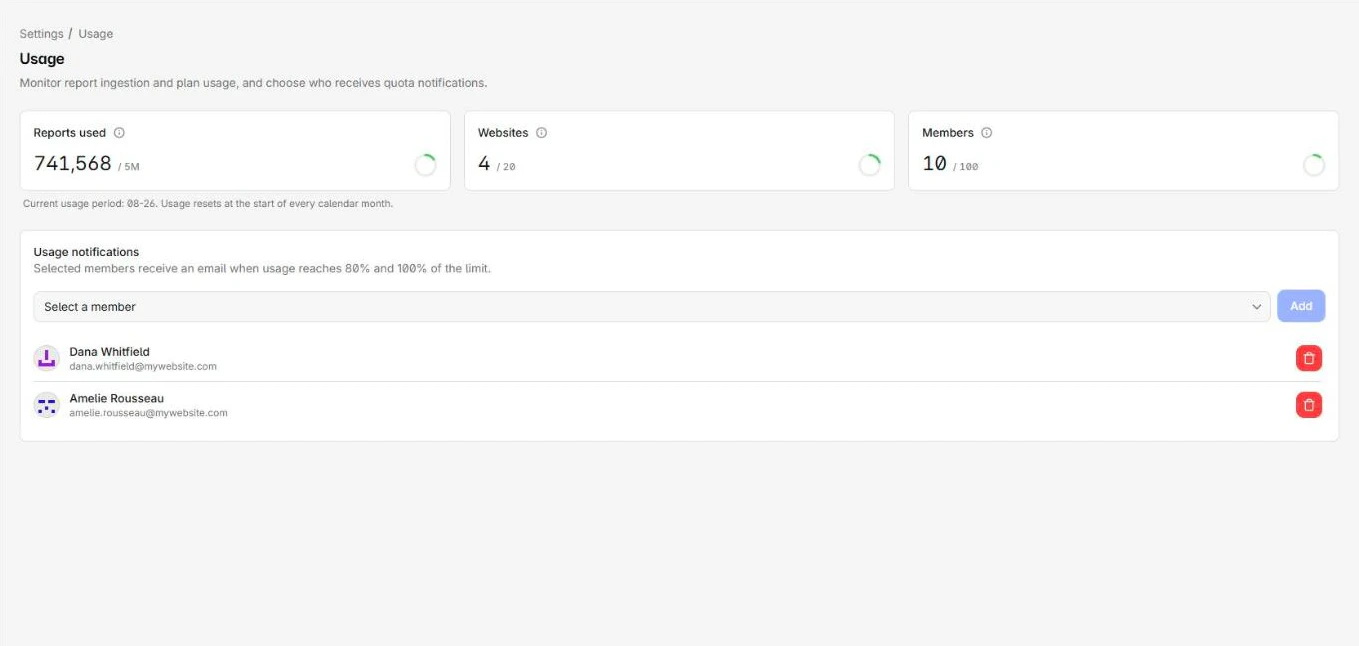
Settings > Usage shows the workspace against its plan limits and sets who gets warned.
The three numbers
The usage page tracks three metrics:
| Metric | Counts |
|---|---|
| Reports used | Browser reports collected this period, against the monthly limit |
| Websites | Websites in this workspace, against the plan maximum |
| Members | Members, against the plan maximum |
Warning emails go out at 80% and again at 100% of the report limit.
Usage resets at the start of every calendar month.
The workspace usage page shows all three against your plan limits:
Ingestion stops at 100%
This is the consequence to plan around. Reaching the monthly report limit stops collection for every website in the workspace, not just the one generating the volume.
Reports arriving after that are rejected, not queued. There is no backfill when the period resets or when you upgrade, so the gap is permanent. A batch that only partly fits is partly admitted, so the cutoff can land mid-batch.
Prevent an ingestion stop
Three levers reduce report volume, in the order worth trying:
- Cut the noise. Extension reports and an untuned policy are the usual cause. For more information, refer to Ingestion filters.
- Cap the loudest site, so one property cannot drain the shared quota. For more information, refer to Usage and limits.
- Change plan, once you know the volume is legitimate.
Diagnose before upgrading. Open each website's usage page and compare Share of workspace usage. The culprit is usually obvious in a minute.
Notification recipients
Selected members get an email at 80% and again at 100%, once each per period. Only workspace Admins can change the recipients.
Include someone who can act on it, not only whoever owns the budget. For more information, refer to Usage alerts.