

Alerting in CentralCSP
Send a notification when a new violation type appears, a report volume spikes, or an unjustified script lands on a payment page.
Last update:
Alerting watches the reports arriving for a website and notifies you when something matches a rule you set. 14 events are available, across CSP, script hashes, integrity, network errors, crashes, browser policies, and PCI DSS compliance.
You configure alerting per website under Alerts, which has two tabs: Configuration for channels and rules, Delivery history for what was sent.
Alerting requires a plan that includes it, and the website Manager role to change anything. Viewers and analysts see the configuration read-only.
Channels first, then rules
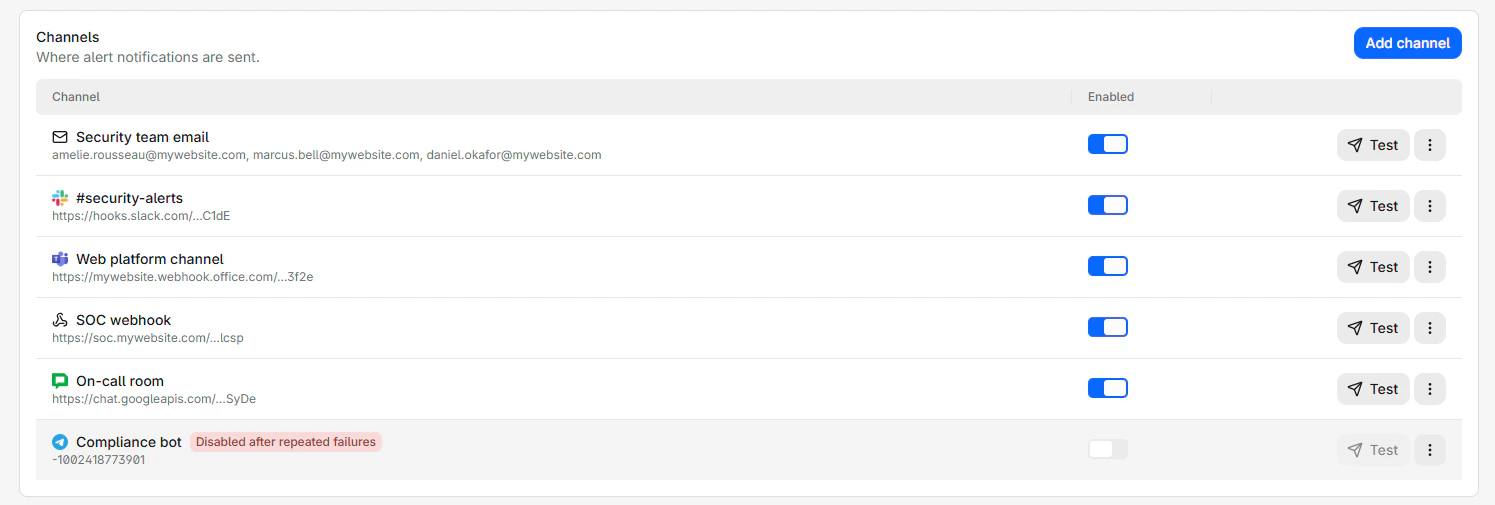
A channel is a destination. Each one can be tested on its own, and switches itself off after five consecutive failures.
Each channel carries its destination, a switch, and a test control:
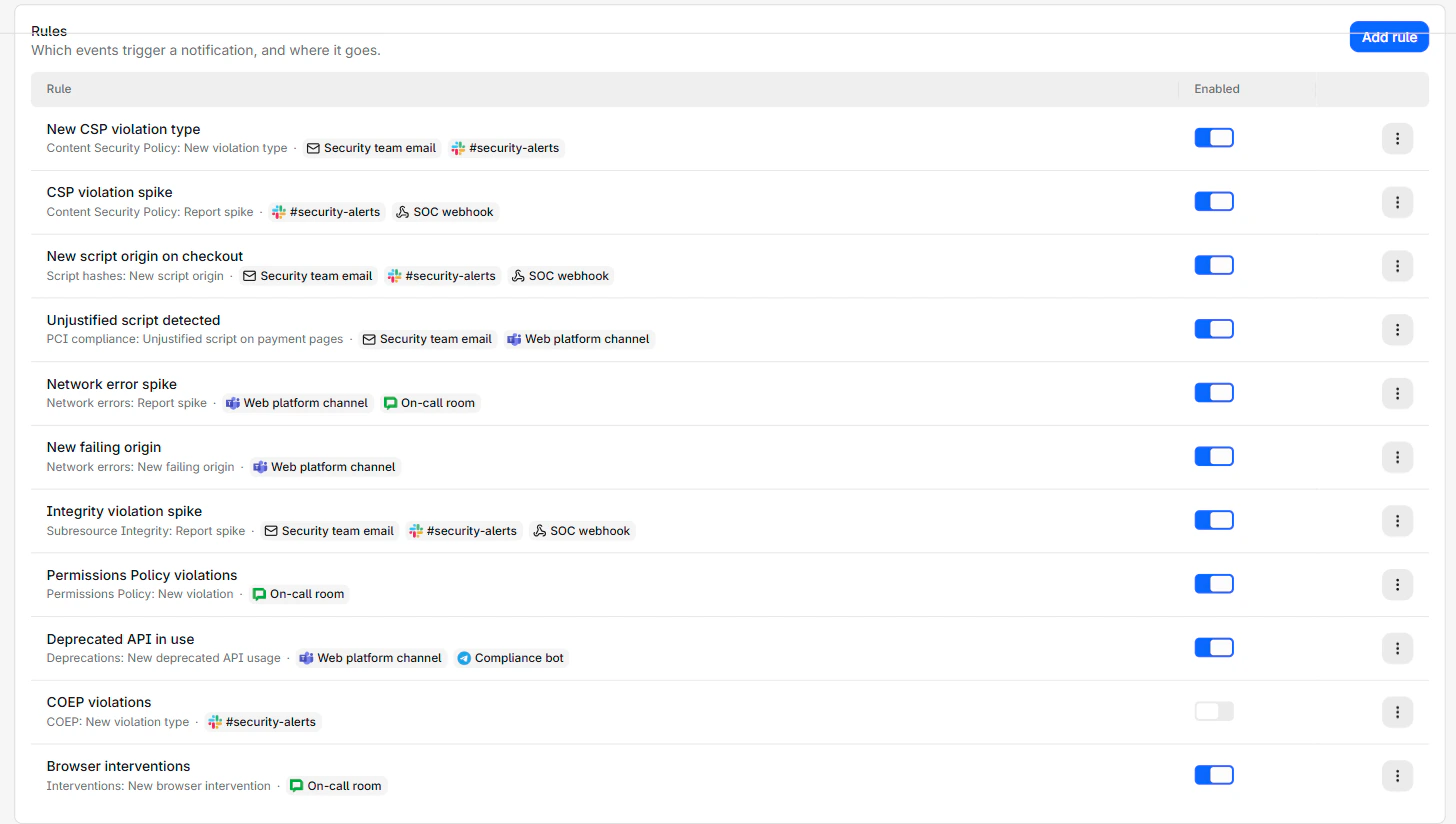
A rule is what to watch and where to send it. Rules cannot exist without a channel, so create one first.
Each rule shows the event it watches and the channels it notifies:
- Add a channel and send a test.
- Add a rule pointing at it.
- Check Delivery history once something fires.
Two things to know before you start
Rules only look forward. The detection sweep runs every minute over reports that just arrived. A new rule never replays history, so it does not tell you about anything that happened before you created it. Use the report pages for that.
Cooldown batches rather than drops. Findings that occur during a cooldown are collected and sent in the next notification. A noisy hour produces one grouped message rather than silence or a flood.
Which events to start with
You do not need many rules. Three cover most of the value:
New violation typeon CSP: Something started loading that never loaded before. On a stable site this is the highest signal event available.Unjustified script on payment pages: Directly tied to PCI DSS 6.4.3, and the one your compliance lead cares about.New script originon script hashes: A new party is now executing code on your pages.
Spike events are useful once you know your normal volume. Adding them on day one produces noise, because the baseline is still forming.
Usage alerts are separate
Notifications about approaching your report quota are not part of this system. They are configured under Settings > Usage at the workspace level and per website, and they only go by email. For more information, refer to Usage alerts.