

Script inventory
Every script observed on your payment pages, with a review status. The four tabs, what each status means, and how a script leaves the list.
Last update:
The script inventory holds every script observed on a page matching an enabled payment-page pattern, each with a review status. It is built from CSP hash reports and lives under PCI DSS > Script inventory.
The script inventory requires a plan that includes compliance.
If the inventory is empty, the cause is almost always scope rather than reporting. For more information, refer to Payment pages.
The four tabs
The inventory is split across four tabs:
| Tab | Shows |
|---|---|
| Origins | One row per origin serving scripts in scope. Select an origin to filter Scripts by it |
| Scripts | The full inventory, filterable by any status |
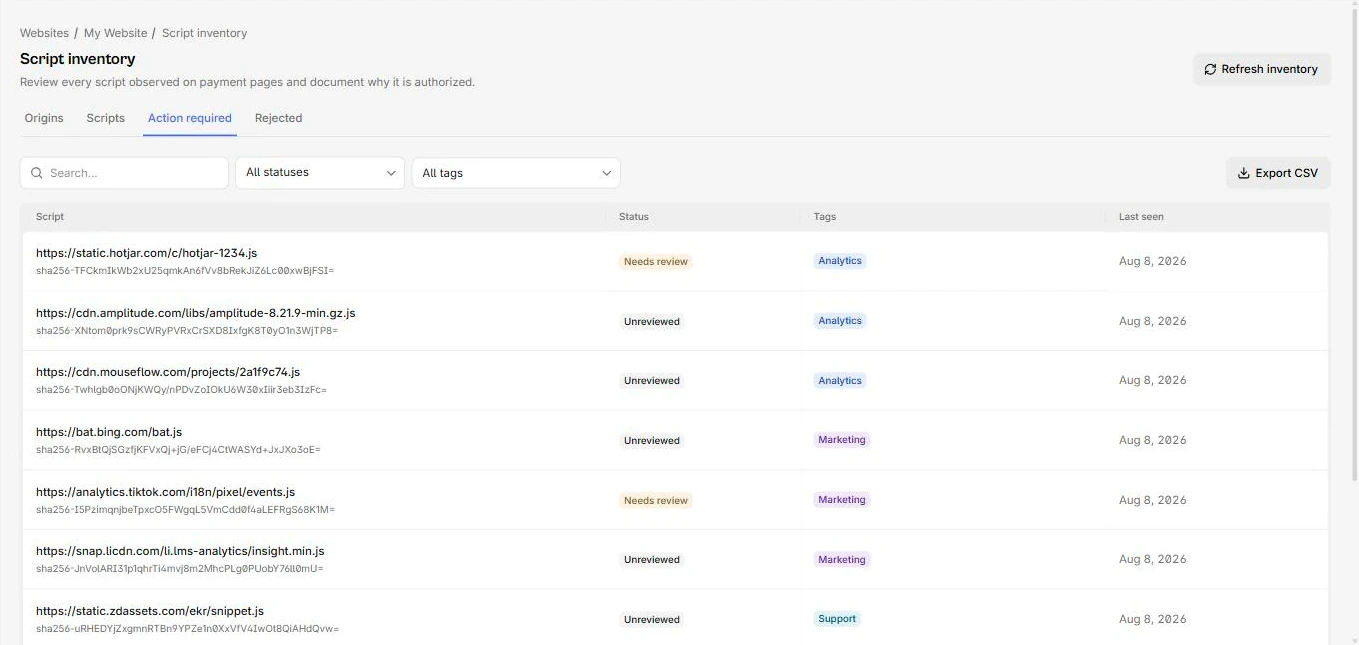
| Action required | Your work queue, holding only Unreviewed and Needs review |
| Rejected | Only scripts marked rejected |
Work from Action required. It is the only tab whose emptiness means something.
Retired scripts are excluded from every tab.
The Action required tab holds a mix of statuses:
Statuses
Every script in scope carries one status:
| Status | Meaning |
|---|---|
| Unreviewed | Detected, nobody has decided |
| Needs review | Was justified, and the hash has changed since |
| Justified | Authorized at its current hash |
| Rejected | Judged not to belong on a payment page |
Needs review is the status that does the work in requirement 11.6.1. A justification is pinned to the hash it was made against, so when content at that URL changes, the script comes back to you instead of staying quietly approved.
The evidence PDF prints these as Pending review, Hash changed, Authorized, and Rejected.
What is recorded per script
Each script carries its origin, first and last seen, current hash, tags, the current review decision, and the full history.
Two things there are worth knowing. Pages lists the document URLs it was seen on, which answers scope questions directly. Hash history lists every hash with first and last seen, which is how you tell a routine release cadence from an unexpected change.
Making decisions from here is covered in Justifying scripts.
Refresh inventory
Managers get a Refresh inventory button, rate-limited to once per 30 seconds. Reconciliation also runs hourly and immediately after any scope or rule change, so you rarely need it. For more information, refer to Reconciliation.
Export CSV
The toolbar exports the current view, honouring your filters, with no row limit. It includes the justification text, both hashes, who decided and when, and the tags.
This is the artefact to use when you need to work through a large inventory in a spreadsheet, or share it with someone without dashboard access. Viewer role is enough.
For a full audit package including the ledger, use the evidence export instead.