PCI DSS 6.4.3 & 11.6.1
Every payment page script, inventoried and justified.
CentralCSP builds your script inventory from real browser traffic, records the justification 6.4.3 asks for, alerts on every change, and exports the evidence your assessor reads. Nothing new runs on your checkout.
PCI DSS v4.0.1
Requirements 6.4.3 and 11.6.1
Nothing on your page
No agent, no proxy
Audit evidence
CSV and PDF export
EU data residency
France, on OVH
The requirements
What the assessment asks. What you hand back.
Requirements 6.4.3 and 11.6.1 are mandatory at every assessment since March 31, 2025. Here is each clause, mapped to the artifact CentralCSP produces for it.
| The requirement | What CentralCSP produces | Status |
|---|---|---|
| 6.4.3 - Script inventory | An inventory of every script loaded on your payment pages, built from what real visitor browsers execute and kept current with every deploy. Not a spreadsheet that was true last quarter. | Covered |
| 6.4.3 - Authorization | Each script carries an authorization status. New ones land as pending review, so nothing stays on the page unaccounted for. | Covered |
| 6.4.3 - Written justification | A business or technical justification recorded per script. Rules auto-validate known patterns, so a routine hash rotation never queues for manual re-approval. | Covered |
| 6.4.3 - Integrity | Script hashes tracked from real traffic. When contents change, the change lands on the timeline and your team is alerted. | Covered |
| 11.6.1 - Change and tamper detection | New scripts and new origins on the payment page raise an alert the moment browsers report them: additions, changes and deletions, dated. | Covered |
| 11.6.1 - Evaluation frequency | The requirement's floor is weekly. Reports flow continuously from production traffic, so evaluation never waits for a scheduled crawl. | Covered |
| Assessment evidence | One export: the inventory, justifications and change history as CSV or PDF, plus an SBOM of the site's technologies and versions. | Covered |

Your payment page, as a timeline.
Every script change on the checkout becomes a dated event: a file appeared, a hash rotated, an origin showed up for the first time. When the assessor asks what changed since last year, you scroll. You do not reconstruct.
- Additions, changes and removals, dated
- Per-page history for every payment page
- The change record 11.6.1 reviews expect

Justify once. Rules absorb the noise.
6.4.3 wants a written justification for every script. Record it when the script first appears, then let auto-validation rules carry the routine: a known pattern rotating its hash revalidates itself, an unknown file stays pending until a human looks.
- Written justification stored per script
- Auto-validation rules for known patterns
- A pending queue for anything new
Know what your scripts are made of.
CentralCSP identifies the library and version behind each script, flags known CVEs and end-of-life versions, and exports the lot as an SBOM of your site. The vulnerable jQuery on the checkout stops being a surprise finding.
- Technology and version identification
- CVE and end-of-life flags
- SBOM export of the whole site

'%20gradientUnits='userSpaceOnUse'%3e%3cstop%20offset='0'%20style='stop-color:%235a62c3'/%3e%3cstop%20offset='.5'%20style='stop-color:%234d55bd'/%3e%3cstop%20offset='1'%20style='stop-color:%233940ab'/%3e%3c/linearGradient%3e%3cpath%20d='M21.8%20125h218.3c12.1%200%2021.8%209.8%2021.8%2021.8v218.3c0%2012.1-9.8%2021.8-21.8%2021.8H21.8C9.8%20387%200%20377.2%200%20365.2V146.8c0-12%209.8-21.8%2021.8-21.8'%20style='fill:url(%23microsoft-teams_svg__SVGID_1_)'/%3e%3cpath%20d='M188.4%20208.1h-43.6v118.8H117V208.1H73.5V185h114.9z'%20style='fill:%23fff'/%3e%3c/svg%3e)

'%20gradientUnits='userSpaceOnUse'%3e%3cstop%20offset='0'%20style='stop-color:%231d93d2'/%3e%3cstop%20offset='1'%20style='stop-color:%2338b0e3'/%3e%3c/linearGradient%3e%3ccircle%20cx='256'%20cy='256'%20r='256'%20style='fill:url(%23telegram_svg__a)'/%3e%3cpath%20d='m173.3%20274.7%2030.4%2084.1s3.8%207.9%207.9%207.9%2064.5-62.9%2064.5-62.9l67.3-129.9-169%2079.1z'%20style='fill:%23c8daea'/%3e%3cpath%20d='m213.6%20296.3-5.8%2062s-2.4%2019%2016.5%200c19-19%2037.2-33.6%2037.2-33.6'%20style='fill:%23a9c6d8'/%3e%3cpath%20d='m173.8%20277.7-62.5-20.4s-7.5-3-5.1-9.9c.5-1.4%201.5-2.6%204.5-4.7C124.6%20233.1%20367%20146%20367%20146s6.8-2.3%2010.9-.8c2%20.6%203.6%202.3%204%204.4.4%201.8.6%203.7.5%205.5%200%201.6-.2%203.1-.4%205.4-1.5%2023.8-45.7%20201.6-45.7%20201.6s-2.6%2010.4-12.1%2010.8c-4.7.2-9.3-1.6-12.6-4.9-18.6-16-82.8-59.2-97-68.6-.6-.4-1.1-1.1-1.2-1.9-.2-1%20.9-2.2.9-2.2s111.8-99.4%20114.8-109.8c.2-.8-.6-1.2-1.8-.9-7.4%202.7-136.2%2084.1-150.4%2093-.9.2-2%20.3-3.1.1'%20style='fill:%23fff'/%3e%3c/svg%3e)
The alert reaches the team that owns the page.
A new script or a new origin on a payment page pings Slack, Microsoft Teams, Google Chat, Telegram or email the moment a browser reports it. Keep the notification: between assessments, it is the control demonstrably working.
- New-script and new-origin alerts, built in
- 5 channels plus webhooks
- Routed per site and per team
Approaches
Three ways to run 6.4.3 and 11.6.1.
Each of these can pass an assessment. They differ in what they see, what they add to the payment page, and what the evidence costs to produce.
| CentralCSP | WAF-based | Proxy or agent | |
|---|---|---|---|
| Adds nothing to the payment page | Yes: Nothing added to the page | Partially: A dependency at the edge | No: New dependency, new failure point |
| Builds the inventory automatically | Yes: Automatic, from real browsers | No: Never executes the page | Partially: From its agent's sessions |
| Alerts on change and tampering (11.6.1) | Yes: Continuous, from live traffic | No: Blind in the browser | Yes: While its agent runs |
| Provides a justification workflow (6.4.3) | Yes: Built-in auto-validation rules | No: Not provided | Partially: Varies by product |
| Detects CVEs and exports an SBOM | Yes: Included, with SBOM export | No: Not for page scripts | No: Rarely included |
| Exports audit-ready evidence | Yes: One-click CSV / PDF | No: Raw request logs | Partially: Usually exportable |
Evidence as data
The inventory is queryable, not a screenshot.
Everything the dashboard shows is on the REST API: pull the payment page inventory, justification statuses and change history into your GRC tooling, or let an agent drive it over MCP.
- Full REST API with scoped tokens
- CSV and PDF exports from the dashboard
- Built-in MCP server for AI agents
How it works
Ten minutes to set up. Evidence whenever it's asked.
No agent, no SDK, no change to the checkout's behavior. Browsers report natively.
01 - Connect
Add one response header.
Create your site in the dashboard and set the reporting header. Real visitor browsers start reporting what the payment page loads within minutes.
02 - Justify
Review the inventory once.
Approve what belongs, record why, set the auto-validation rules. From then on, only genuinely new scripts ask for your attention.
03 - Prove
Export when the QSA asks.
Inventory, justifications and the change timeline as CSV or PDF. The evidence matches what actually ran in browsers, so the conversation is short.
The dashboard
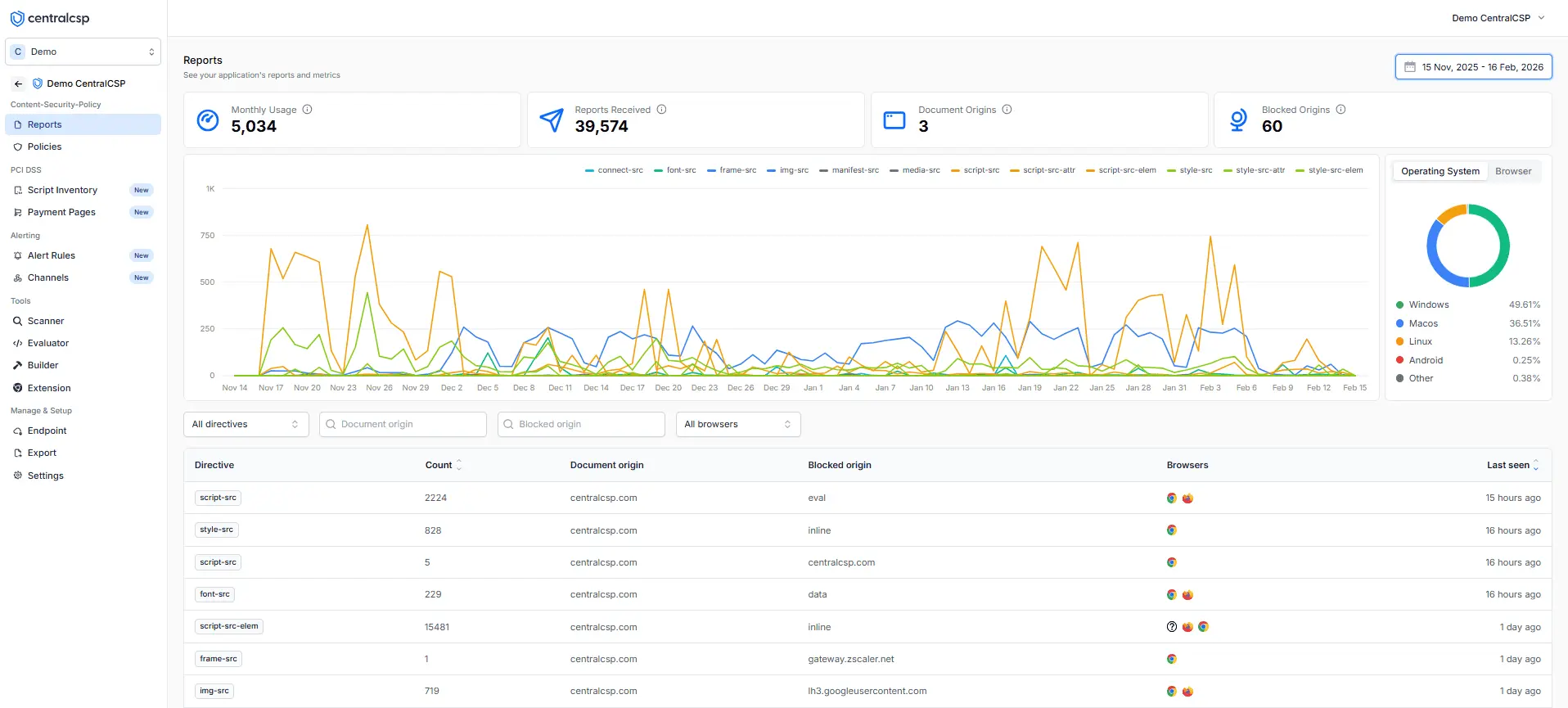
Your payment pages, on one screen.
Inventory, justifications, changes and alerts for every payment page, behind one login.
Trusted by teams across the world
FAQ
Frequently asked questions
What merchants and their assessors ask us, answered.
Walk into the assessment with the inventory ready.
Connect a payment page this afternoon; browsers start reporting within minutes. No agent to deploy, nothing added to the checkout.