

Websites in CentralCSP
A website is the core object in CentralCSP. Add one, wire its reporting headers, tune what it collects, and control who can see it.
Last update:
A website is one registered site you collect browser reports for. Each one owns its own reporting endpoint, settings, usage counter, and access list. Everything else in the product hangs off it: reports, script inventory, alerts, and PCI DSS evidence.
Adding a site to CentralCSP does not touch the site. All it creates is a place for reports to land. Nothing is collected until you deploy the headers.
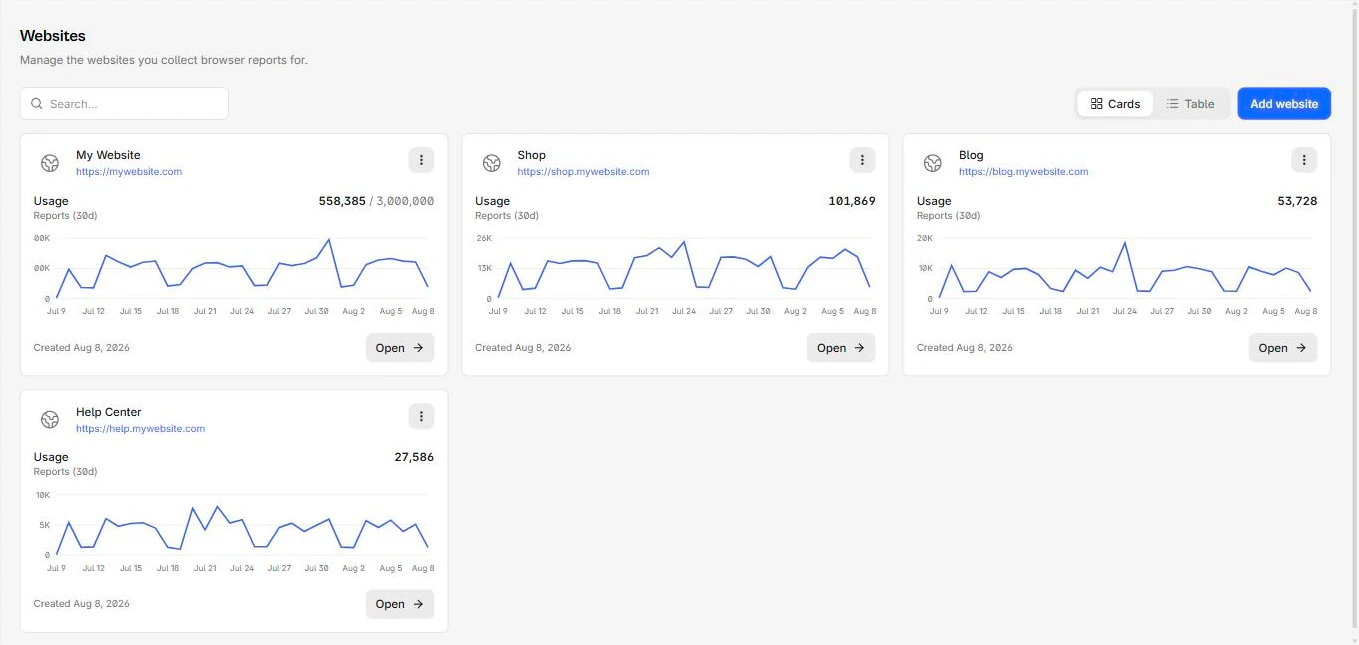
The Websites list shows recent usage for each site:
What you can do
These pages cover the parts of a website you configure:
- Add a website: A four-step wizard covering details, what to collect, and who can see it. Add a website
- Connect your site: Copy the generated headers, deploy them, confirm the first report. Connect your site
- Claim a subdomain: Replace the random endpoint hostname with one you choose. Custom subdomain
- Filter what gets stored: Restrict which origins may report, and strip data you do not want to keep. Ingestion filters
- Watch the quota: Per-site usage, a per-site cap, and who gets emailed as you approach it. Usage and limits
- Control access: Grant people and groups one of four website roles. Access control
- Rename, reset, or delete: The website's own settings, including the two destructive actions. General settings
Two things to set on every new site
The wizard defaults leave both of these off, and both are cheaper to fix on day one than after a month of data.
- Restrict allowed origins: An empty list means any origin on the internet can post to your endpoint and consume your monthly report quota. For more information, refer to Ingestion filters.
- Cap the site if it is staging, newly onboarded, or running an untuned policy. Hitting the workspace quota stops ingestion for every website you own, not just the one at fault. For more information, refer to Usage and limits.