

Interventions
Requests the browser refused or changed on its own. You cannot stop them, so the question is whether your code handles the outcome.
Last update:
An intervention is the browser overruling your page to protect performance, battery, or your visitor. Nothing you configured caused it.
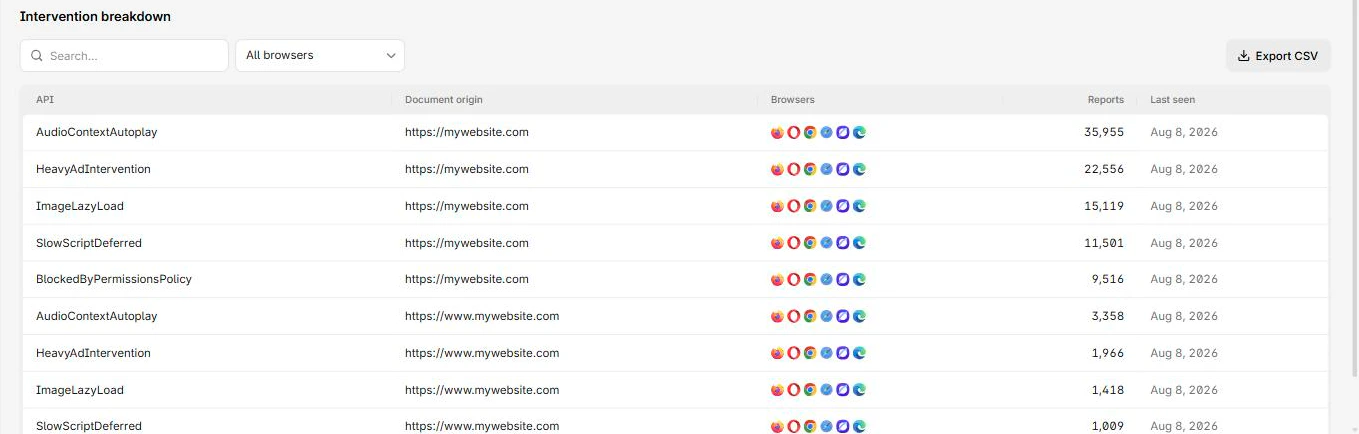
The breakdown lists each browser intervention and how often it fired:
Columns
The report table has these columns:
| Column | What it means |
|---|---|
| API | The API or behaviour the browser intervened on |
| Document origin | The page involved |
| Browsers | Browsers that reported it |
| Reports | Reports collapsed into this row |
| Last seen | Most recent occurrence |
No disposition column: an intervention is always something the browser actually did.
Handle an intervention
You cannot stop the browser intervening, so the only useful question is whether your code handles the outcome.
Take autoplay, the most common case. If your player assumes playback started and updates the UI accordingly, your visitor now sees a paused video labelled as playing. The intervention was correct. Your error handling was not.
For each intervention type, check the affected path has a fallback and that your code reads the actual result rather than assuming success. Other common cases are a heavy ad iframe unloaded, a slow script deprioritized, and image loading deferred.
Trends
A sudden rise in one intervention type usually means a recent change keeps triggering the same protection. That is the signal worth acting on.
An intervention reported by only one browser is normal. It generally means that browser shipped a protection first, not that your site behaves differently there.